
Nullam dignissim, ante scelerisque the is euismod fermentum odio sem semper the is erat, a feugiat leo urna eget eros. Duis Aenean a imperdiet risus.

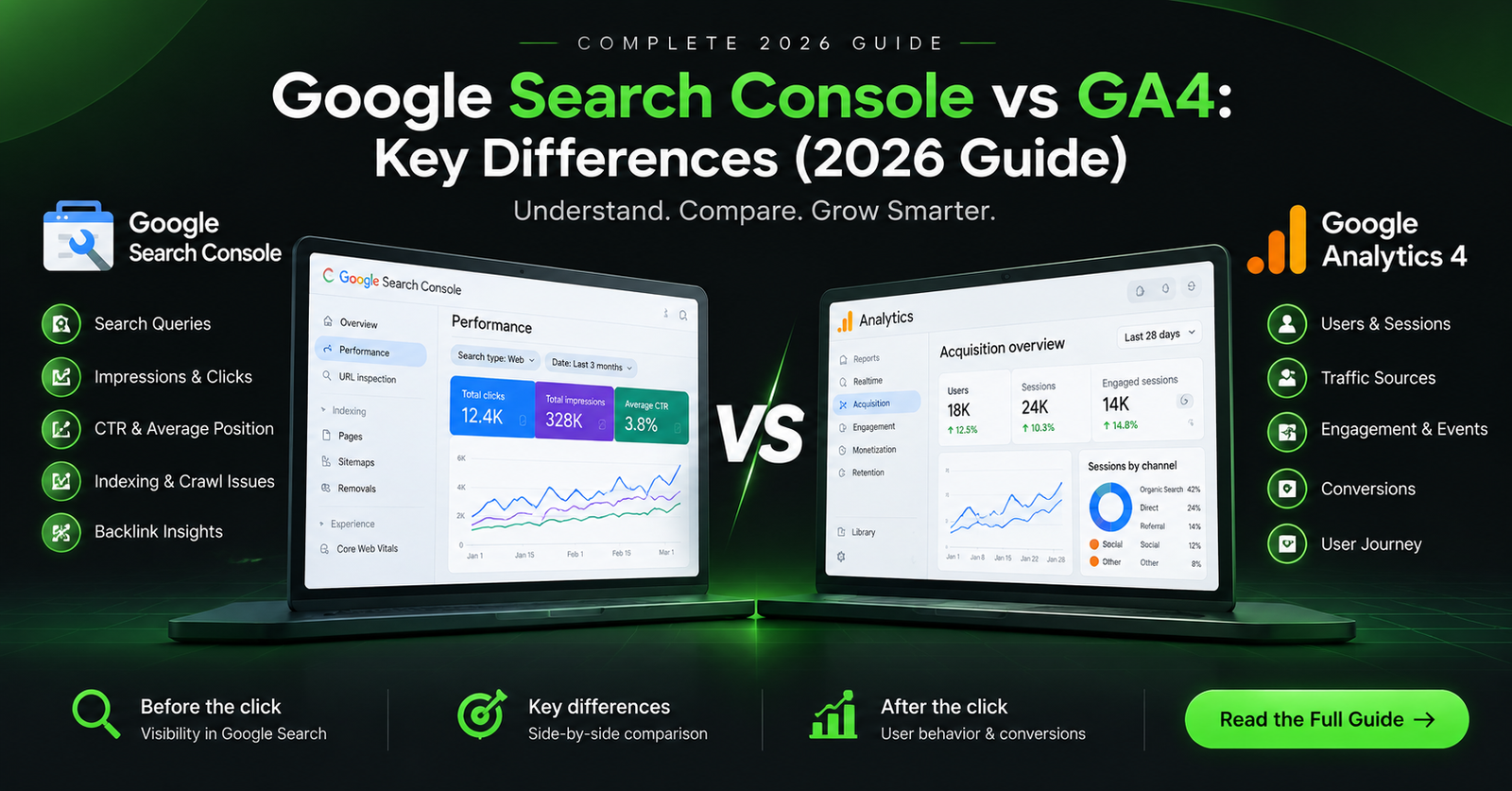
Google Search Console vs Google Analytics 4: Key Differences (2026 Guide)
Understanding how search engines discover your pages versus how real visitors interact with your content can make or break your organic growth strategy. Many creators debate using gsc vs ga4 for site monitoring, but comparing them requires looking at different stages of the user journey. Google Search Console monitors search engine indexing, crawling status, and organic search impressions. Google Analytics 4 measures user activity, page views, and event conversions once traffic hits your pages. This technical guide breaks down the architecture, metrics, and workflow integrations of both tools to help you build high-ranking, data-driven content.
Technical Architecture: GSC vs GA4
Both platforms capture distinct datasets using fundamentally different measurement models. Understanding these underlying structures helps prevent data discrepancies during site performance audits.
Google Search Console Measurement Model
Google Search Console operates on a server-side search engine logging system. It records data direct from Google’s web crawlers and Search Engine Results Pages (SERPs) without requiring tracking codes on your site.
[Searcher Query] ➔ [Google SERP Impression] ➔ [Organic Click] ➔ [GSC Logs Data]
- Impressions: Triggered whenever your site URL appears in a user’s search result.
- Clicks: Counted when a searcher selects your URL from Google SERPs.
- Average Position: Calculated using the top-most position of your site URL for a given query.
- Average CTR: Derived by dividing total organic clicks by total impressions.
For a full technical overview of Google’s web indexing protocols, read the official Google Search Central Documentation.
Google Analytics 4 Event-Based Data Model
GA4 relies on client-side measurement using JavaScript tags or Google Tag Manager snippets inserted directly into your web pages.
[Visitor Session] ➔ [Client JavaScript Trigger] ➔ [GA4 Measurement Protocol] ➔ [Event Logs]
Unlike Universal Analytics session-based reporting, GA4 registers every user interaction as an individual event (e.g., page_view, scroll, first_visit, file_download).
<!-- Standard GA4 Global Site Tag (gtag.js) Placeholder -->
<script async src="https://www.googletagmanager.com/gtag/js?id=G-XXXXXXXXXX"></script>
<script>
  window.dataLayer = window.dataLayer || [];
  function gtag(){dataLayer.push(arguments);}
  gtag('js', new Date());
  gtag('config', 'G-XXXXXXXXXX');
</script>
You can learn more about event models on MDN Web Docs or review broader analytics frameworks on Wikipedia’s Web Analytics Guide.
Core Differences: Feature Matrix
The following HTML comparison table outlines the functional differences between Google Search Console and Google Analytics 4.
Integrating GSC Data into GA4: Step-by-Step Workflow
Combining your Google Search Console property with Google Analytics 4 unlocks integrated reporting, allowing you to view organic queries alongside post-click user engagement.
Step 1: Link Properties in GA4 Admin Panel
- Log into your Google Analytics 4 account.
- Navigate to Admin (gear icon) in the bottom-left corner.
- Under Product Links, select Search Console Links.
- Click the blue Link button, choose your verified Search Console property, and select your web data stream.
[GA4 Admin Dashboard] ➔ [Product Links] ➔ [Search Console Links] ➔ [Confirm Target Stream]
Step 2: Publish Search Console Reports in GA4 Navigation
By default, Search Console reports are hidden in GA4. Follow these steps to make them visible:
- In GA4, navigate to Reports on the left menu bar.
- Click Library at the bottom of the navigation drawer.
- Locate the Search Console collection card under Collections.
- Click the three dots menu on the card and select Publish.
[Reports Dashboard] ➔ [Library] ➔ [Search Console Collection Card] ➔ [Publish]
Real-World Case Study: Resolving Traffic Discrepancies
When analyzing organic traffic differences across gsc vs ga4, beginner strategists often panic over mismatched numbers. Here is a practical scenario demonstrating how to diagnose and resolve data variations.
Scenario: High SERP Clicks vs Low GA4 Organic Sessions
During a routine performance review, the analytics dashboard revealed 5,000 organic clicks in Search Console for a single tutorial page over 30 days, but GA4 recorded only 3,200 organic sessions.
[GSC: 5,000 Clicks] ──( 36% Data Drop-off )──► [GA4: 3,200 Sessions]
Technical Root-Cause Analysis
After inspecting the setup using diagnostic tools like Ahrefs and Semrush, three distinct issues caused the 36% reporting gap:
- Slow Core Web Vitals (LCP): The landing page hero image took 3.8 seconds to load on mobile devices. Users clicked the search snippet but bounced before the client-side GA4 script executed.
- Consent Management Blocking: European users rejected non-essential cookie banners, preventing the GA4 tracking script from firing despite valid search clicks.
- Redirect Chain Interception: The URL listed in Google’s SERP indexed an HTTP version, triggering an unhandled 301 redirect chain that stripped attribution parameters.
Resolution Steps
- Applied WebP image formats and preloaded key assets to reduce LCP to 1.4 seconds.
- Corrected internal canonical tags to force HTTPS protocol direct links.
- Configured GA4 Advanced Consent Mode to estimate unconsented traffic accurately.
Result: Session capture rates improved to 94% alignment within 14 days of deployment.
Common Pitfalls & How to Avoid Them
- Comparing Raw GSC Clicks to GA4 Sessions: Clicks measure actions on search results; sessions measure user visits on site. They will rarely match 1:1.
- Ignoring Data Retention Limits: GA4 default data retention resets to 2 months unless manually updated to 14 months inside Admin settings. Update this configuration immediately after setup.
- Relying Solely on GSC for Conversion Tracking: Search Console cannot track form submissions, sales, or lead generations. Use GA4 custom events for goal tracking.
- Overlooking Non-Google Engines: GSC ignores search traffic originating from Bing, Yahoo, or DuckDuckGo. Monitor GA4 organic channel groupings to track secondary search engines.
Frequently Asked Questions
Why do organic clicks in Search Console not match sessions in Google Analytics 4?
GSC logs server-side clicks directly from Google search pages. GA4 relies on browser-side JavaScript execution once the user loads your site. Network latency, cookie blockers, ad blockers, or site speed issues can prevent GA4 from recording a session even if a click occurs.
Should I install Search Console code on my site?
No code snippet is needed. Google Search Console verifies ownership via DNS TXT records, HTML file uploads, or Google Tag Manager authorizations.
How often do GSC and GA4 update their reports?
GSC data runs on a 2-day delay (approx. 48 hours) for most performance metrics. GA4 updates processing data within 24 to 48 hours, though real-time reports display user events immediately.
Which tool should I use to check indexing issues?
Google Search Console is the proper platform for technical indexation checks. Use GSC’s URL Inspection tool to request indexing, analyze canonical tags, and audit crawl errors.
Unlocking Organic Search Growth
Neither tool replaces the other. Google Search Console provides the visibility metrics required to optimize titles, improve rankings, and fix technical crawl issues. Google Analytics 4 provides behavioral insights to refine user navigation and improve conversion rates.
Combining both platforms establishes a complete organic optimization strategy. Use Search Console to discover high-volume search queries, then use GA4 to verify if those visitors engage with your content.
For more technical SEO frameworks, web performance guides, and organic scaling strategies, explore our latest tutorials on yogeshdotcreates.com.